
Race setup
Build around the event
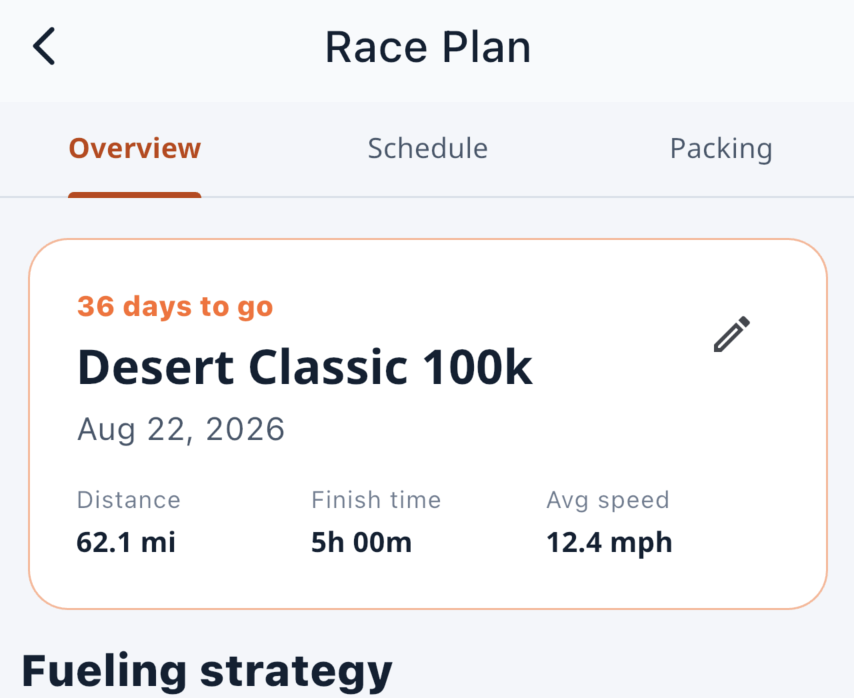
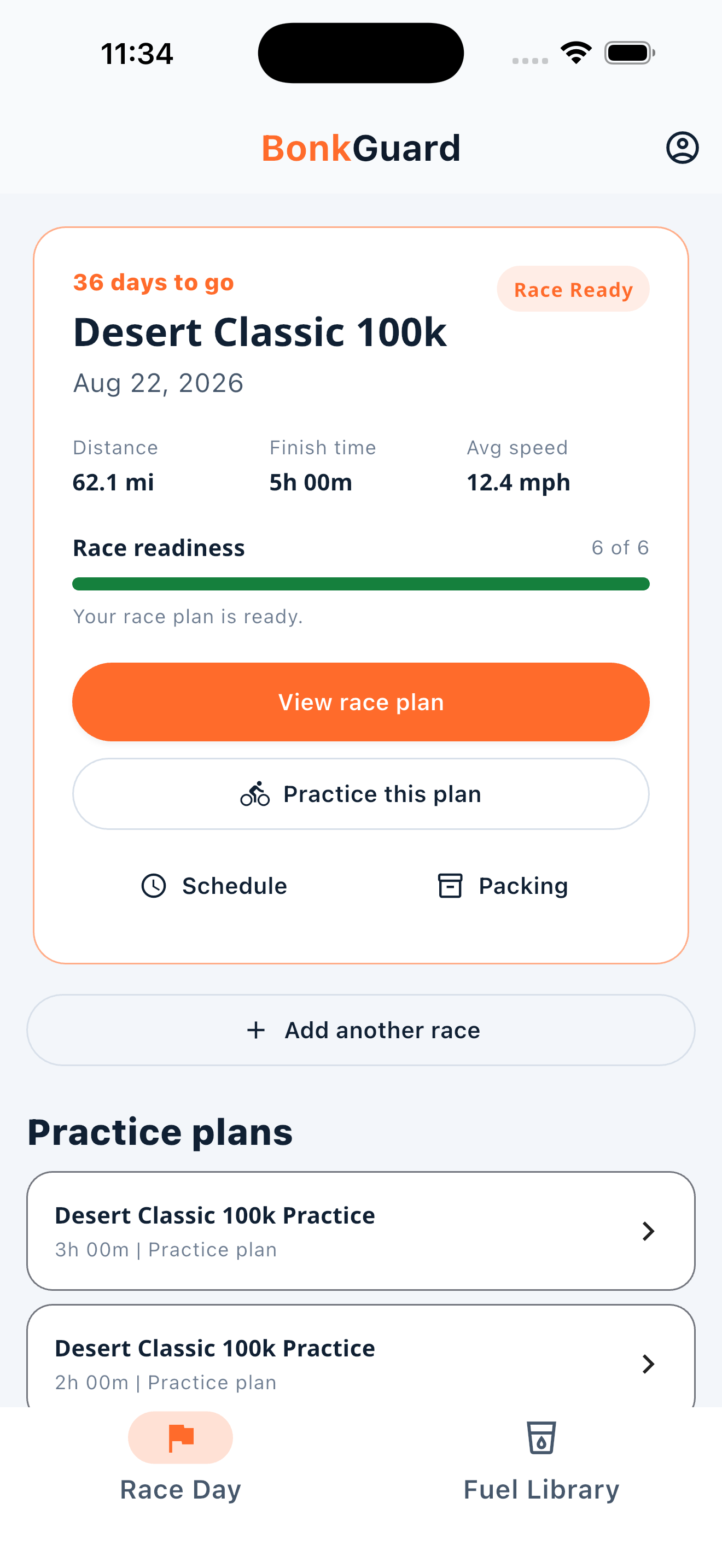
Add the race name, date, distance, and expected finish time. BonkGuard derives planned average speed from distance and time.
BonkGuard turns your race distance, expected finish time, fueling targets, products, and bottles into a schedule you can practice, pack, and follow.
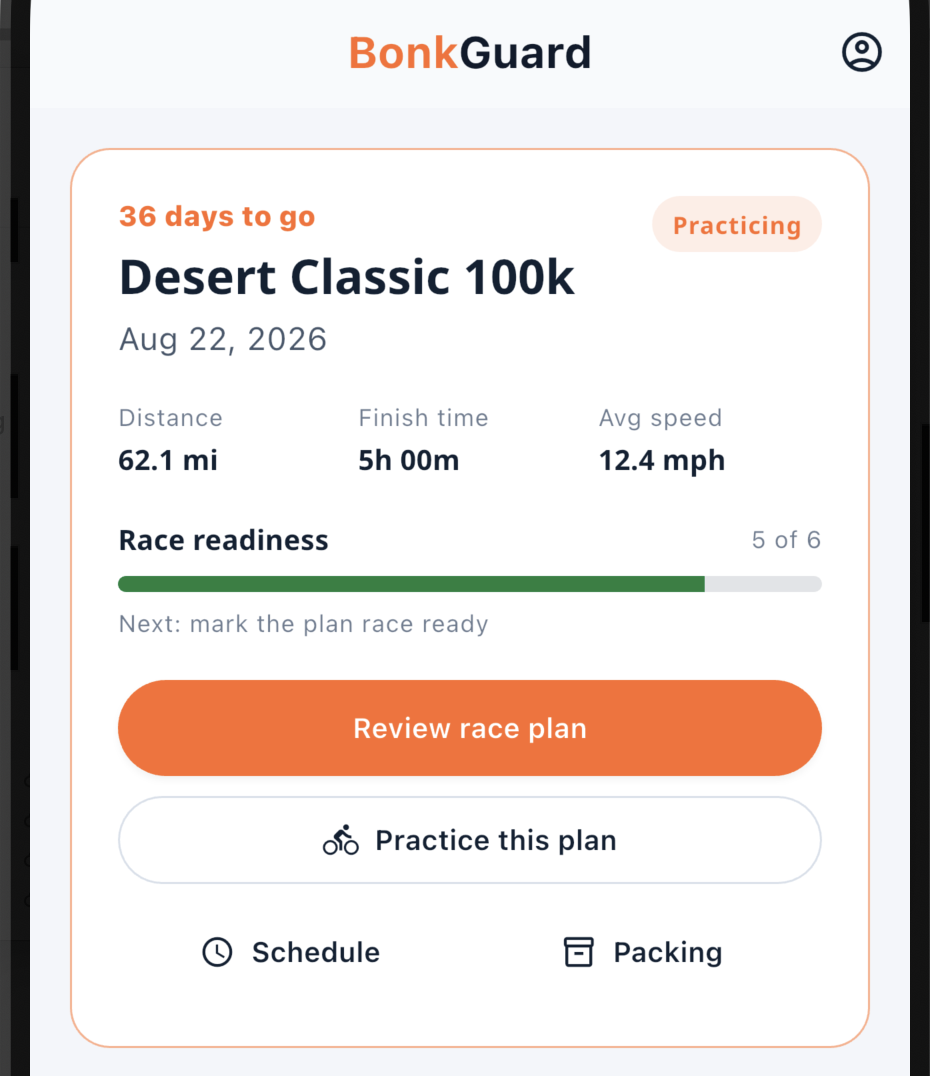
BonkGuard connects the event, editable targets, products, bottles, timing, packing, practice, and readiness so you can review the whole race plan in one place.
Add the race name, date, distance, and expected finish time. BonkGuard derives planned average speed from distance and time.
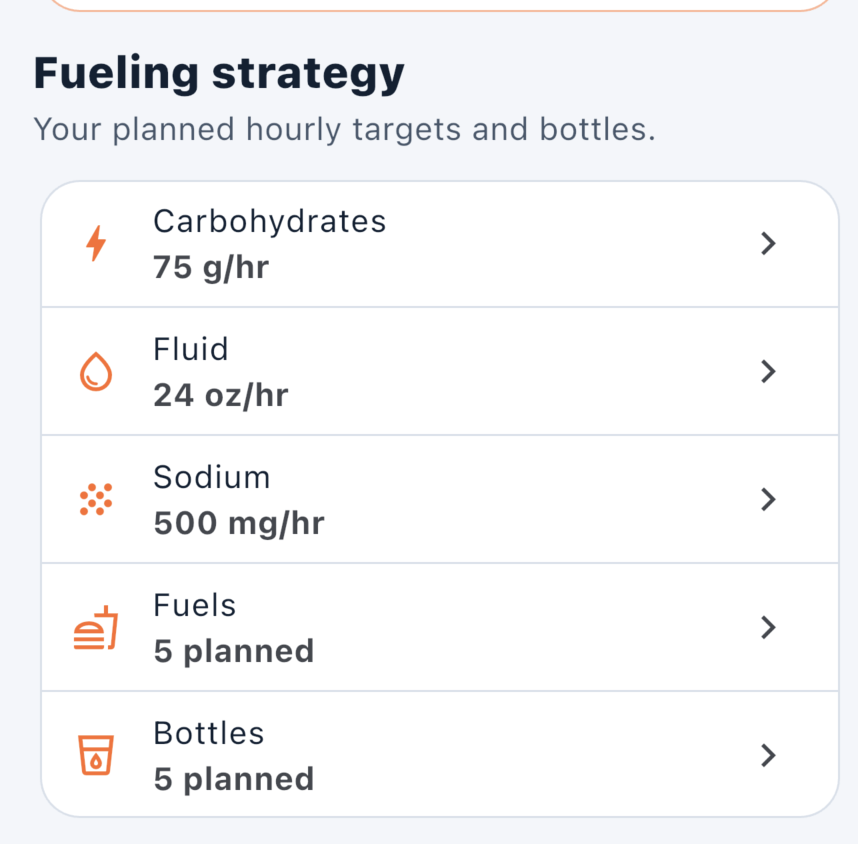
Review editable carbohydrate and fluid targets, reveal optional sodium guidance, then select and order foods, gels, chews, drink mixes, and bottles.
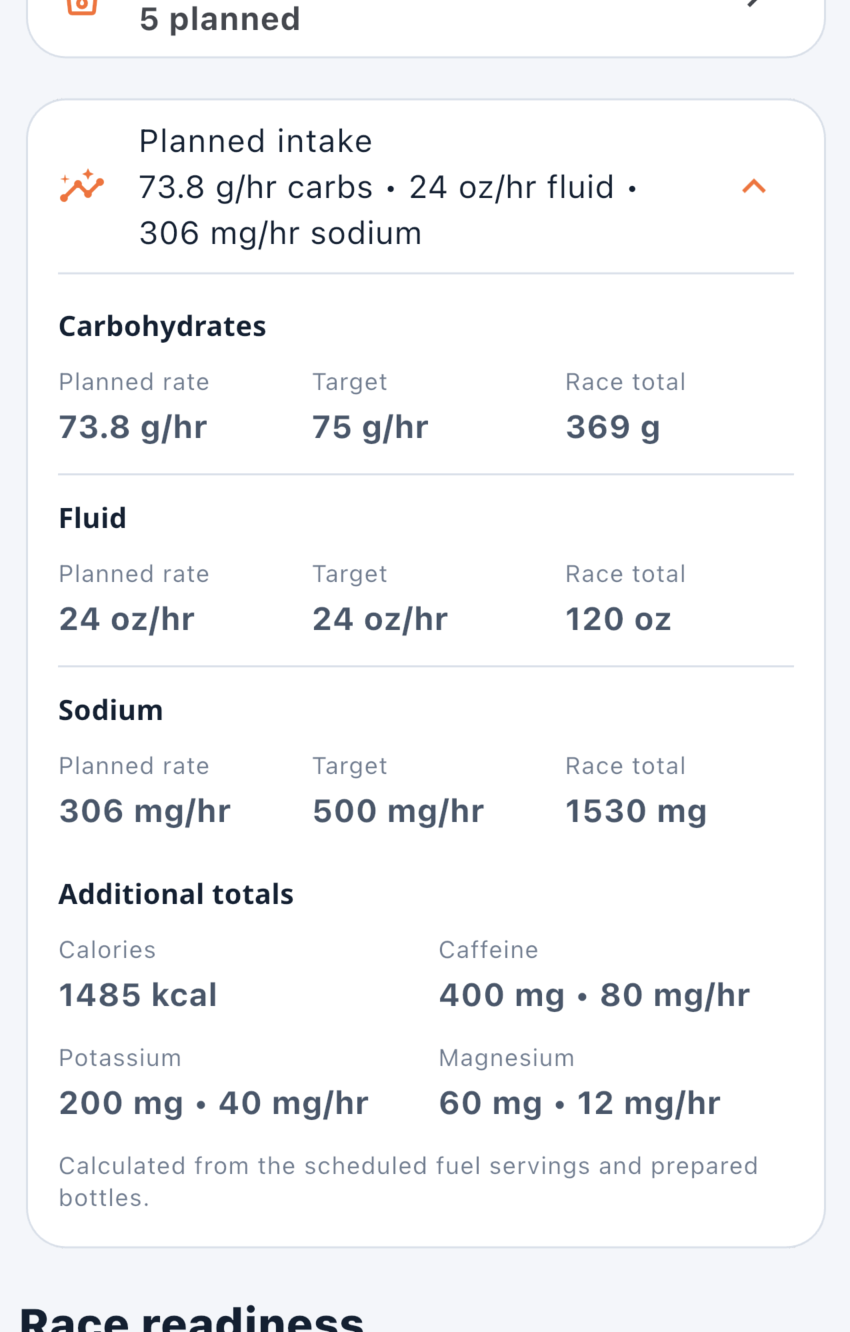
Compare planned carbohydrate, fluid, and sodium rates with your targets, then review race totals for calories, caffeine, potassium, and magnesium.
Create a linked shorter plan with the full race target or a more conservative progression. Not every training ride needs race-level fueling.
Work through race details, targets, fuel, bottles, schedule, and athlete confirmation. You decide when the plan is ready.
Open the timed fuel and hydration schedule, then use local reminders and the full-screen timeline while following the plan.
Review quantities and bottle preparation before the event, and export a full plan or compact stem-card reference where supported.
Keep default and custom fuels with serving details so the products and drink mixes you have practiced are ready to add to a race plan.
Build the plan in four deliberate steps, then keep control of every recommendation and adjustment.
Add the event, date, distance, and expected finish time.
Review targets and choose the fuel and bottles you will actually carry.
Rehearse the strategy during selected training sessions and adjust it deliberately.
Review Overview, Schedule, and Packing, then confirm the plan for event day.
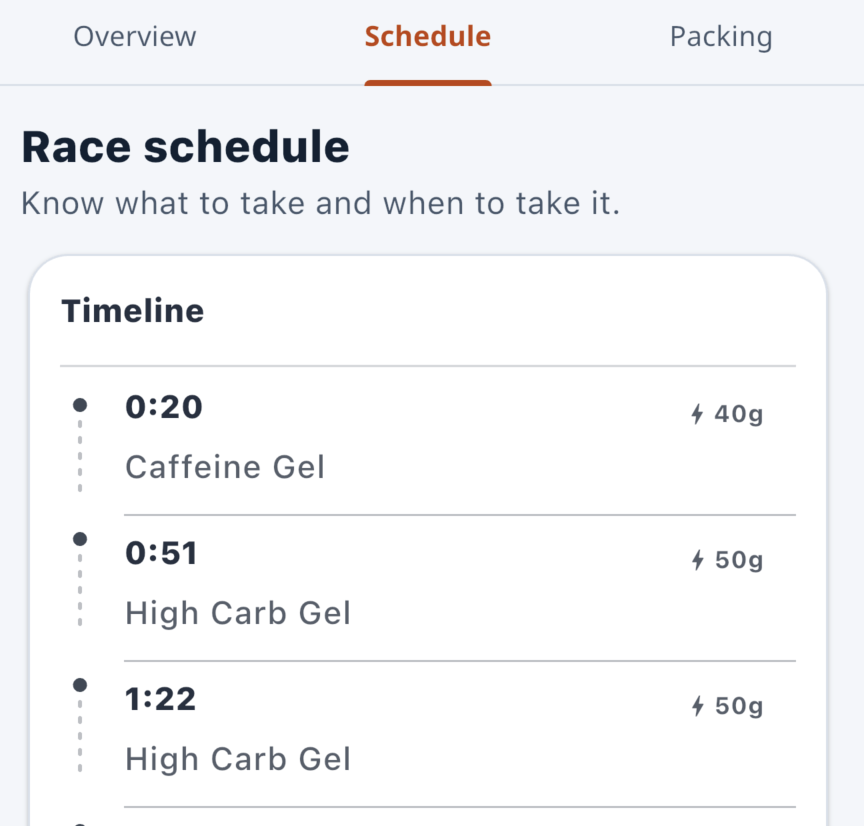
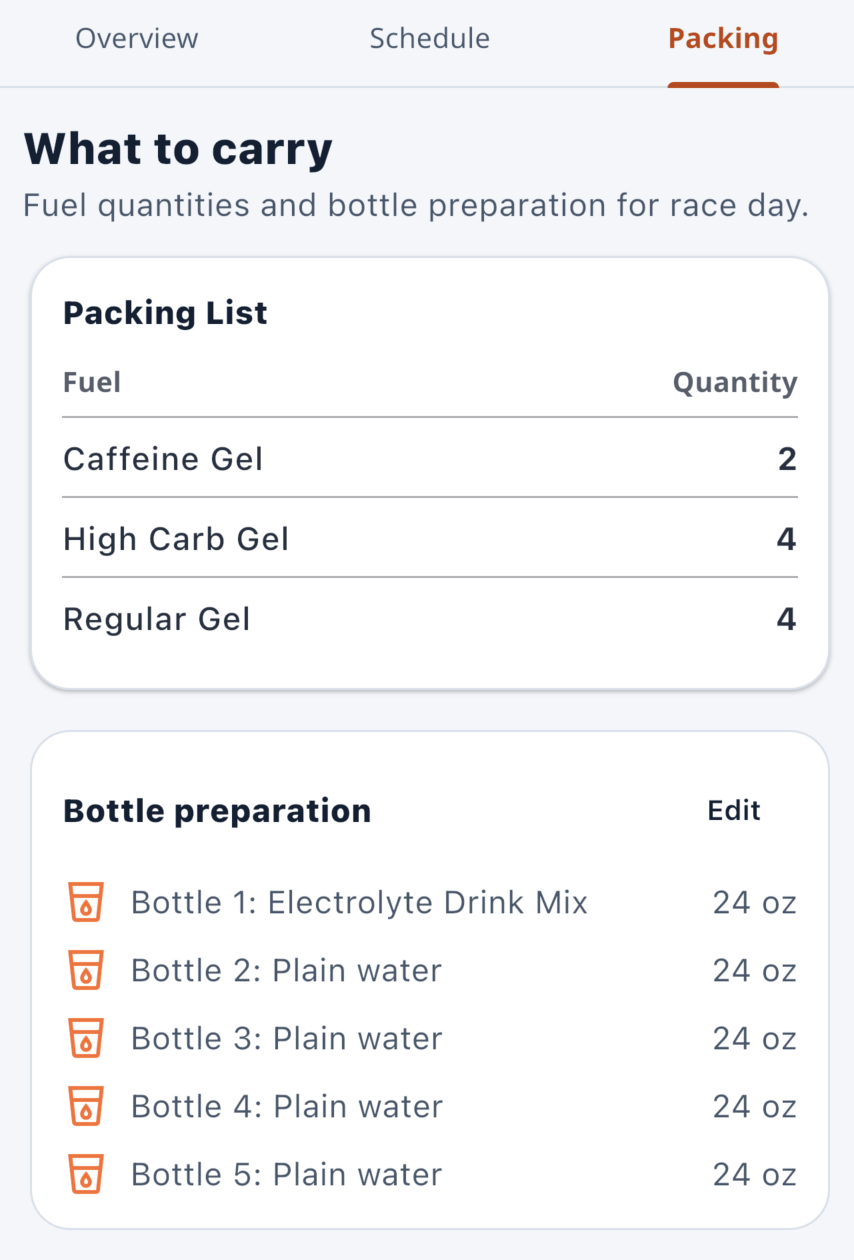
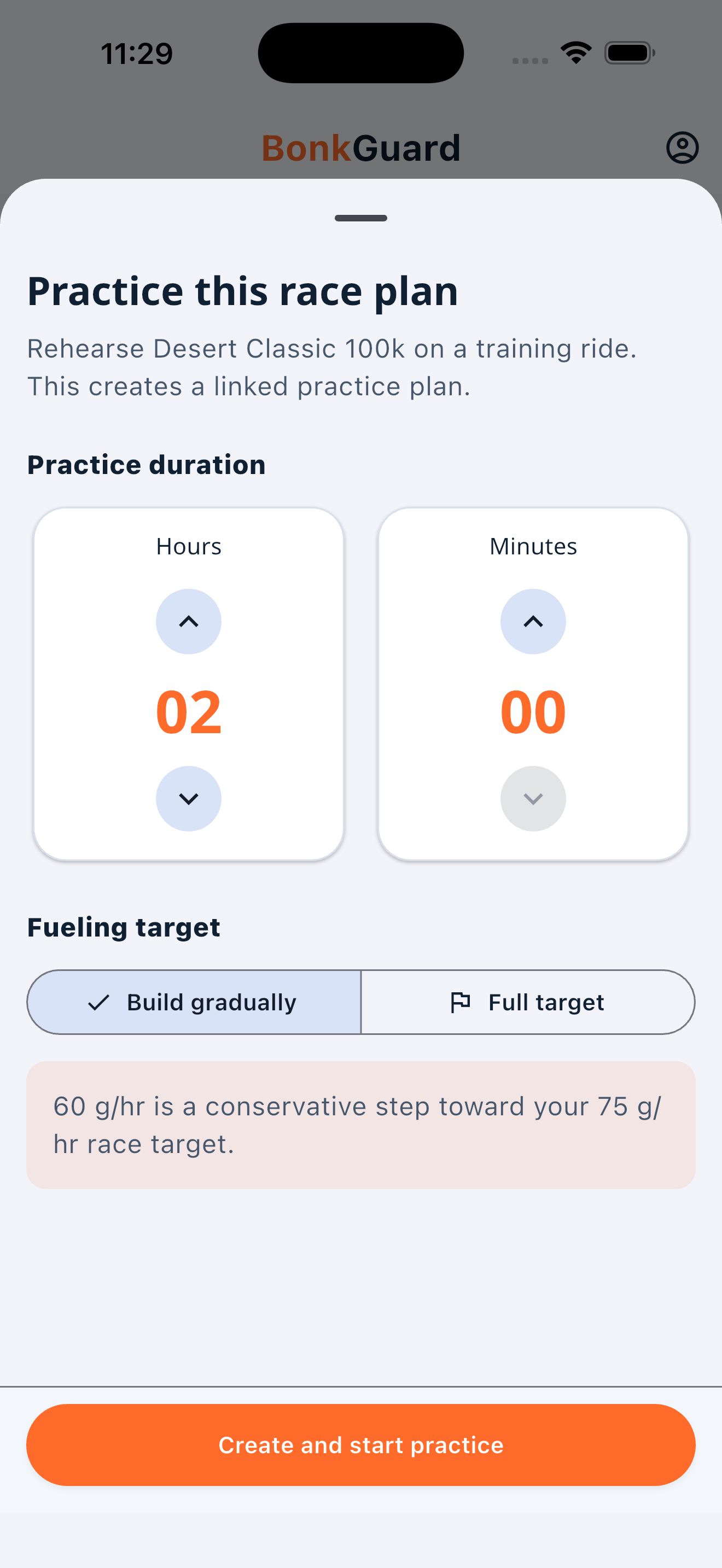
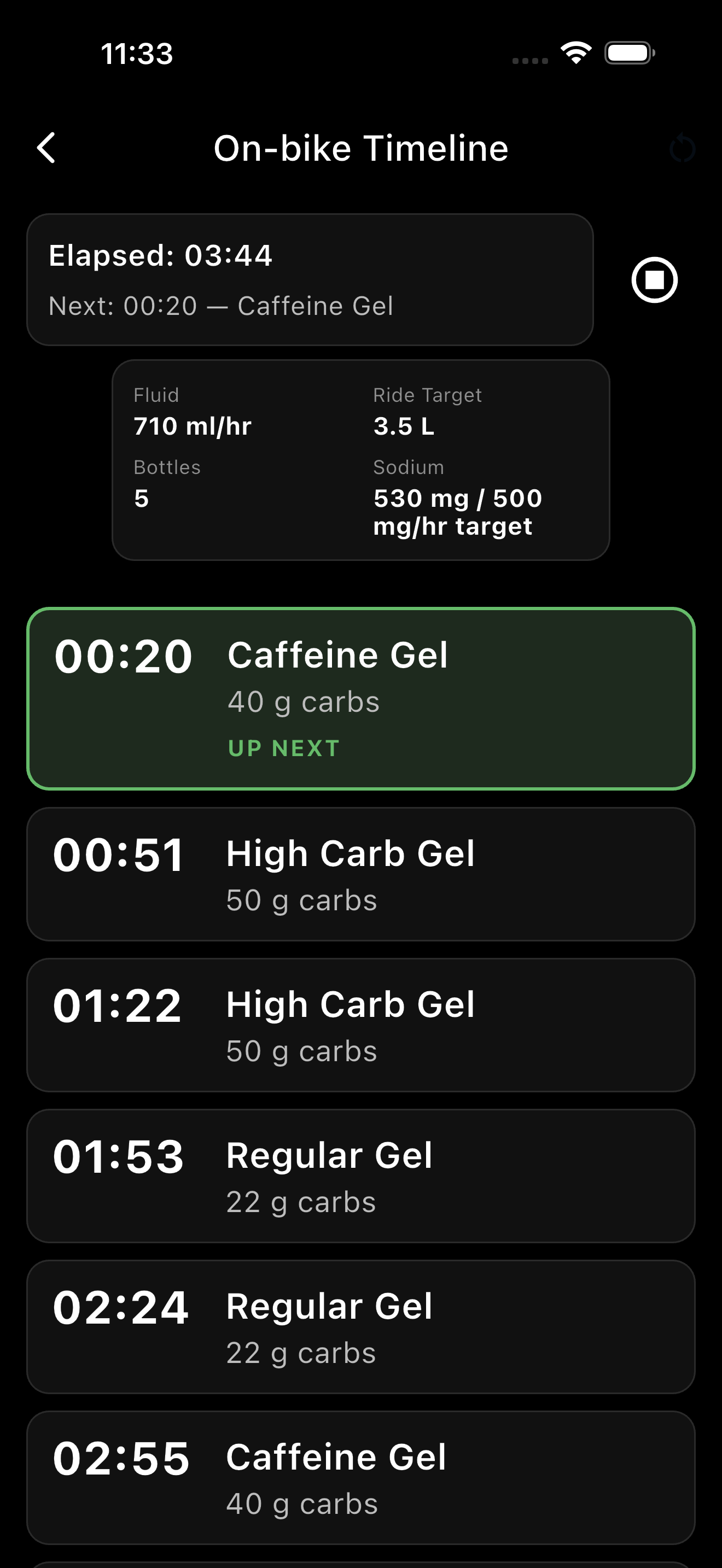
Use the step-by-step cornerstone guide to move from expected finish time to targets, products, schedule, packing, practice, and final review.
Both account levels use the same practical planning approach. Pro changes account limits, not physiological outcomes.
Choose the products and bottles you plan to carry, review the schedule and packing list, practice the strategy, and mark it Race Ready when you are satisfied.

Clear answers about what BonkGuard does today.
Race preparation is the main experience. Training rides remain useful when you want to practice a race plan, build gut tolerance, or test the products and timing you expect to use.
BonkGuard provides practical guidance and editable targets. Athletes should adjust for their experience and seek qualified professional guidance when appropriate.
Planned intake is calculated from the scheduled fuel servings and prepared bottles in the plan. It is not a record of what was actually consumed.
Yes. A linked practice plan can use the full race target or a more conservative progression over a shorter duration.
Yes. Use available Fuel Library items or add the products and drink mixes you plan to carry.
Not currently. BonkGuard does not currently import weather, routes, GPX files, Strava activities, or Garmin activities.
Yes. BonkGuard supports plan exports and compact stem-card references where supported.
BonkGuard is available on the App Store for iPhone and on Google Play for Android.